
Note: You can only change your password through the dashboard if you know your current password. If you have forgotten it, please contact our support team to have it reset.
Step-by-Step Instructions:
- Log In: Access your cPanel dashboard.
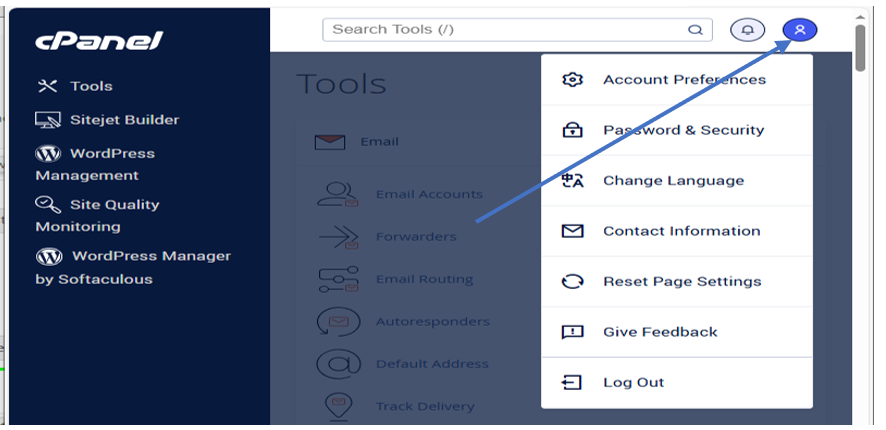
- Open User Menu: In the top-right corner of the page (next to the notification "bell" icon), click on the User Menu (represented by your username).
- Select Security Settings: From the dropdown menu, click on Password & Security.
- Update Credentials:
- Enter your Old Password.
- Enter and confirm your New Password.
